
Unit 1 · Computer Hardware and Software
Computer Hardware and Software
Every computer system is built from two parts working together — the physical machine you can touch, and the instructions that bring it to life. Let's understand both.
Introduction
A computer system is a combination of two essential components: Hardware and Software. Hardware is the physical part of the computer that you can see and touch — like the keyboard, monitor, and processor. Software is the set of programs and instructions that tell the hardware what to do.
Neither can function without the other. Hardware without software is just an inactive machine, and software without hardware has nothing to run on. Understanding how they work together is essential before you start programming.
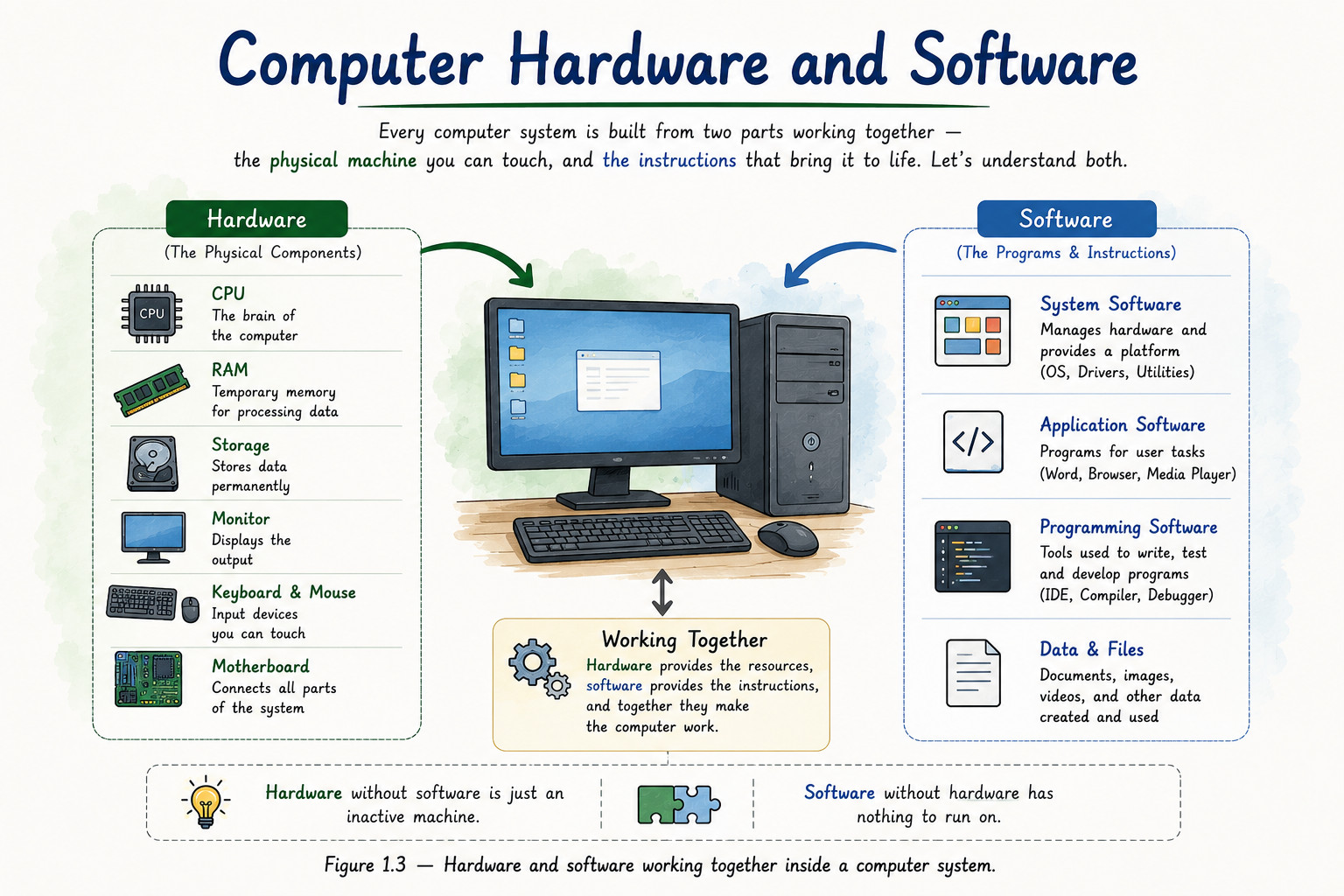
Table of Contents
What is Hardware?
Hardware refers to all the physical, tangible components of a computer system — the parts you can physically see and touch, such as the CPU, monitor, keyboard, mouse, and hard disk.
Tip
Think of hardware as the "body" of the computer — it provides the physical means to compute, but it needs instructions (software) to know what to actually do.
Types of Hardware
Input Devices
Keyboard, mouse, scanner, microphone — used to feed data into the computer.
Output Devices
Monitor, printer, speaker — used to display or produce results.
Processing Unit (CPU)
The "brain" of the computer that executes instructions and performs calculations.
Memory (RAM)
Temporary storage that holds data and instructions while a program is running.
Storage Devices
Hard disk, SSD, pen drive — used for permanent, long-term data storage.
What is Software?
Software refers to the set of programs, data, and instructions that tell the hardware what tasks to perform. Unlike hardware, software cannot be touched — it exists as code stored on a storage device.
Tip
If hardware is the "body," software is the "mind" — it decides how the hardware behaves.
Types of Software
System Software
Manages and controls the hardware, providing a platform for other software to run. Examples: Windows, macOS, Linux, device drivers.
Application Software
Designed to help users perform specific tasks. Examples: MS Word, Chrome, VS Code, games.
Utility Software
Helps maintain and optimize the system. Examples: antivirus, disk cleanup tools, file compression tools.
Programming Software
Tools used to write, test, and debug programs. Examples: compilers, interpreters, IDEs like PyCharm.
Hardware vs Software
| Hardware | Software |
|---|---|
| Physical, tangible component. | Logical, intangible set of instructions. |
| Can be seen and touched. | Cannot be touched, only executed and viewed on screen. |
| Wears out over time (physical damage). | Does not wear out, but may need updates. |
| Example: CPU, RAM, monitor. | Example: Windows, Python, MS Excel. |
Role of the Operating System
The Operating System (OS) is the most important piece of system software. It acts as a bridge between the user, application software, and hardware — managing memory, processes, files, and input/output devices.
   User
    ↓
Application Software (e.g. Python programs)
    ↓
Operating System (e.g. Windows, Linux)
    ↓
   Hardware (CPU, RAM, Disk)
Real-Life Example: Writing a Letter
When you type a letter in MS Word, your keyboard (hardware) sends each keystroke to the CPU (hardware), which processes it using instructions from the operating system and MS Word (software). The result appears on your monitor (hardware). Every action involves hardware and software working together seamlessly.
Interview Tip
A commonly asked question is: "Can a computer function without software?" The answer is no — without an operating system or any software, hardware has no instructions to follow and remains idle.
Quick Revision
| Concept | Key Point |
|---|---|
| Hardware | Physical parts of a computer. |
| Software | Instructions that control hardware. |
| System Software | Manages hardware (e.g. OS). |
| Application Software | Helps users perform specific tasks. |
Summary
Hardware and software are the two pillars of any computer system. Hardware provides the physical means to compute, while software provides the instructions that make the hardware useful. Together, managed by the operating system, they allow us to run programs, browse the internet, and eventually — write and execute Python code.




