
Unit 1 · Input and Output Functions
Input and Output Functions
Every useful program needs to talk to its user. Learn how to take input with input() and
display results with print() — the final building blocks of Unit 1.
Introduction
Programs become truly interactive when they can accept data from the user and display results back. In
Python, this is done using two built-in functions: input()
for taking input, and print() for displaying output.
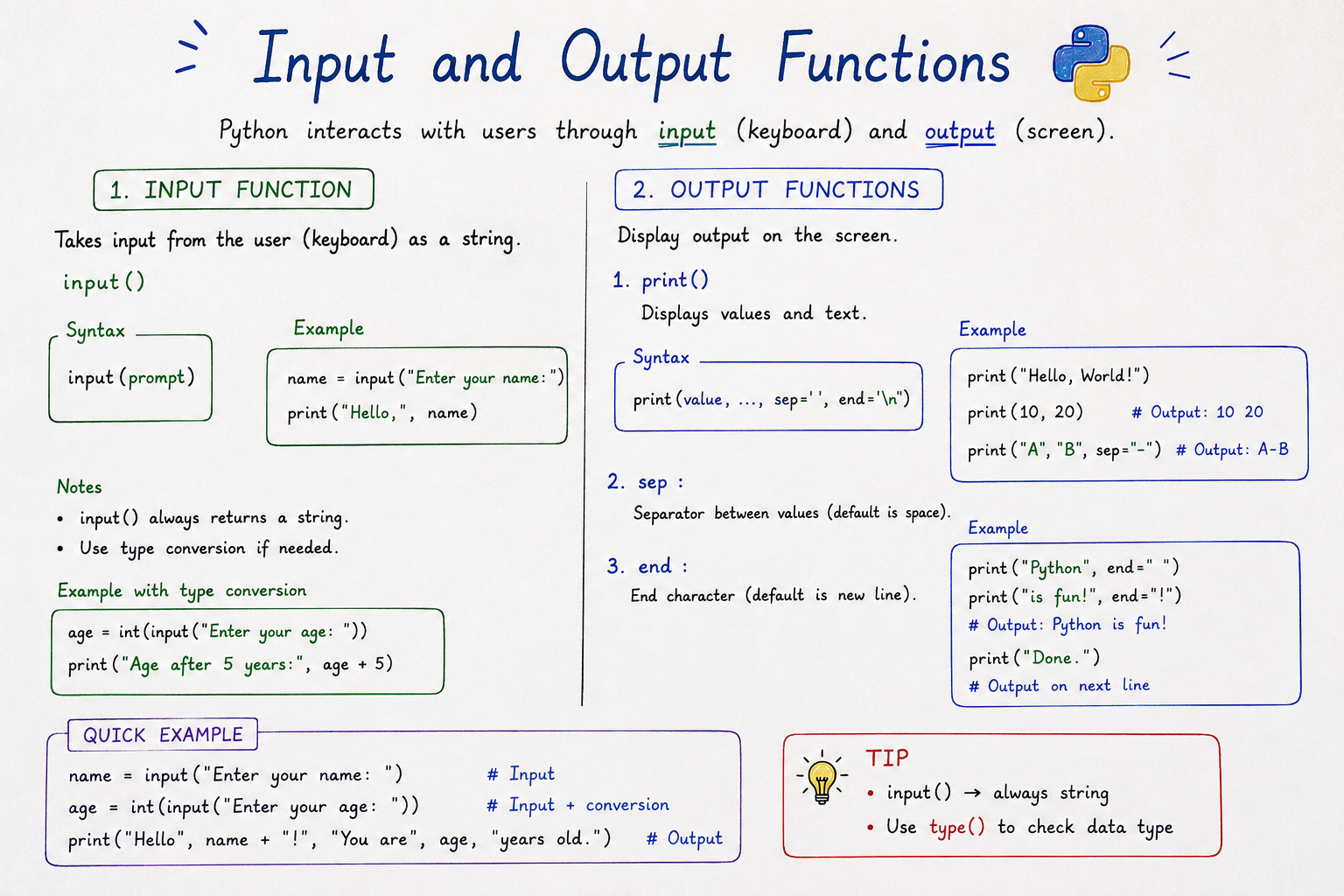
Table of Contents
The print() Function
The print() function displays output on the screen. It can
take one or more values, separated by commas.
print("Hello, World!")
print("Sum is:", 15)
sep and end Parameters
By default, print() separates multiple values with a
space (sep=" ") and ends with a newline
(end="\n"). Both can be customized.
print("a", "b", "c", sep="-")      # a-b-c
print("Hello", end=" ")
print("World")                # Hello World (same line)
The input() Function
The input() function pauses the program and waits for the
user to type something, then returns it — always as a string.
name = input("Enter your name: ")
print("Hello,", name)
Tip
The text inside input() parentheses is called a prompt — it guides the
user on what to type.
Taking Numeric Input
Since input() always returns a string, you must convert it
using int() or float() before doing math with it.
age = int(input("Enter your age: "))
print("Next year you'll be", age + 1)
Formatting Output (f-strings)
Python's f-strings (formatted string literals) let you embed variables and expressions
directly inside a string, prefixed with f.
name = "Riya"
age = 21

print(f"My name is {name} and I am {age} years old.")
Output: My name is Riya
and I am 21 years old.
Real-Life Example: Simple Calculator
num1 = float(input("Enter first number: "))
num2 = float(input("Enter second number: "))

result = num1 + num2

print(f"The sum of {num1} and {num2} is {result}")
Common Beginner Mistakes
- Forgetting that
input()always returns a string. - Trying to add a string and an integer directly, causing a
TypeError. - Forgetting the
fprefix before an f-string. - Mismatching curly braces
{}in an f-string.
Quick Revision
| Concept | Key Point |
|---|---|
print() |
Displays output on screen. |
input() |
Takes user input, always as a string. |
sep / end |
Customize print() separators and line endings. |
| f-string | Embed variables directly inside a string. |
Summary
The input() and print() functions are the bridge between your program and its
user. With input() you can accept data (always as a string), and with print()
— along with f-strings for clean formatting — you can display results clearly. With this, you've
completed the foundational building blocks of Python covered in Unit 1.




