
Unit 2 · Range Function
Range Function
Learn how to use Python's built-in range() function to generate arithmetic sequences of
integers for loops.
Learning Objectives
By the end of this lesson, you will be able to:
- Explain the purpose and syntax of the `range()` function.
- Generate sequences of numbers using one, two, and three arguments.
- Create a reverse sequence using a negative step.
- Understand the concept of "lazy evaluation" and why `range()` is memory-efficient.
- Apply `range()` within `for` loops to control iteration.
Prerequisites
To get the most out of this topic, you should have a basic understanding of:
- Python's `for` loop.
- Basic integer arithmetic.
Introduction
When using loops, we frequently need to run a block of code a specific number of times (e.g., repeat 10 times). Writing a manual list of 10 numbers is inefficient. Python solves this with the built-in range() function, which generates a sequence of integers dynamically.
Instead of creating and storing a full list of numbers in memory, `range()` creates a special "range object" that produces numbers on demand. This makes it incredibly fast and memory-efficient, especially for large sequences.
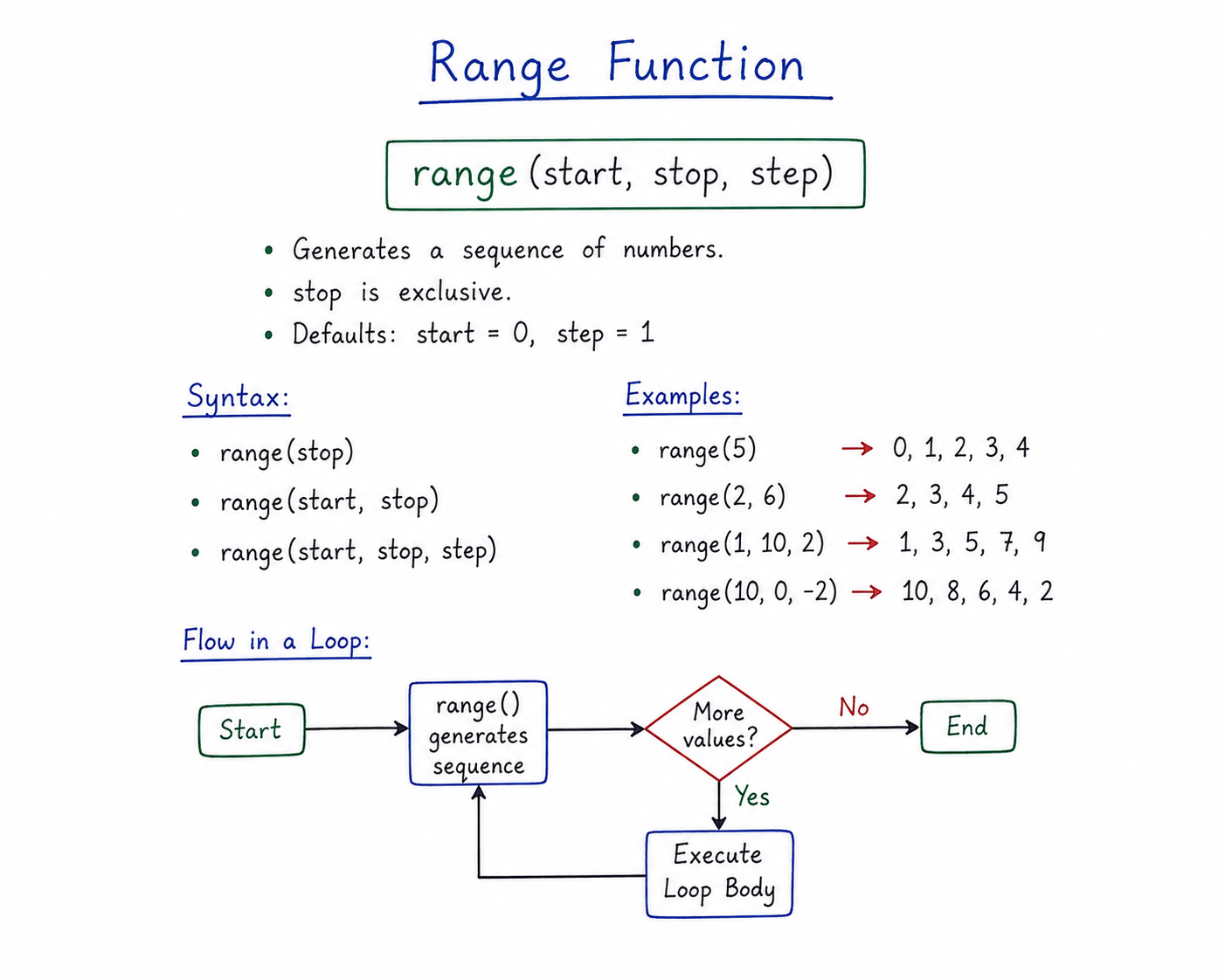
Table of Contents
Syntax of range()
The general syntax of the range() function is:
range(start, stop, step)
Parameters:
- start (Optional): The integer where the sequence begins. If omitted, it defaults to `0`.
- stop (Required): The integer before which the sequence must end. The sequence goes up to, but does **not include**, this value.
- step (Optional): The increment (or decrement) between each number in the sequence. If omitted, it defaults to `1`.
Exam Critical: The `stop` value is exclusive
Always remember that `range(5)` generates numbers from 0 to 4. The `stop` value itself is never part of the sequence. This is a very common point of confusion and a frequent exam trap.
The Three Forms of `range()`
1. Single Argument: range(stop)
Starts from 0 and goes up to (but excluding) the stop value.
for i in range(5):
    print(i, end=" ")  # Output: 0 1 2 3 4
2. Two Arguments: range(start, stop)
Starts from the start value and goes up to (but excluding) the stop value.
for i in range(2, 6):
    print(i, end=" ")  # Output: 2 3 4 5
3. Three Arguments: range(start, stop, step)
Starts at start, increases by step, and stops before stop.
# Positive step
for i in range(1, 10, 2):
    print(i, end=" ")  # Output: 1 3 5 7 9
# Negative step (counting backwards) for i in range(5, 0, -1): print(i, end=" ") # Output: 5 4 3 2 1
Lazy Evaluation & Memory Efficiency
The range() function does not create all numbers in memory at once. It returns a special
**range object** that generates numbers on-the-fly as they are requested by the loop. This feature is called
**lazy evaluation** and makes it extremely memory efficient, even for generating millions of numbers.
Tip
If you print a range object directly: print(range(5)), it outputs range(0, 5).
To force it to display as a list of numbers, convert it explicitly: print(list(range(5))).
Time & Space Complexity
Because `range()` only stores the `start`, `stop`, and `step` values, its memory usage is constant regardless of the size of the range. This gives it a space complexity of **O(1)**, a huge advantage over creating a full list in memory, which would be O(n).
Common Mistakes & Exam Points
Common Mistakes
- Off-by-one error: Forgetting that `range(n)` goes up to `n-1`, not `n`.
- Using float arguments: `range()` only accepts integers. `range(2.5)` will raise a `TypeError`.
- Zero step: `range(1, 10, 0)` is invalid and will raise a `ValueError`.
- Incorrect backward range: Forgetting to use a negative step when counting down (e.g., `range(5, 0)` produces an empty sequence).
Exam Notes
- `range()` is a built-in function that generates a sequence of integers.
- The `stop` parameter is always exclusive.
- It is memory-efficient due to lazy evaluation (O(1) space complexity).
- To get a list from a range object, you must use `list(range(...))`.
Interview Questions
1. What is the difference between `range(10)` and `list(range(10))`?
Answer: `range(10)` creates a memory-efficient range object that generates numbers from 0 to 9 on demand. `list(range(10))` creates an actual list `[0, 1, 2, 3, 4, 5, 6, 7, 8, 9]` in memory, consuming more space.
2. How do you generate a sequence of numbers from 10 down to 1?
Answer: By using a negative step: `range(10, 0, -1)`.
3. Why does `range(5, 0)` produce an empty sequence?
Answer: Because the default step is `+1`. Starting at 5, you can't reach 0 by adding 1. The condition `start < stop` is immediately false, so the sequence is empty.
Practice Corner
Output Prediction Questions
# Question 1: What is the output?
for i in range(3, 8, 2):
    print(i, end=' ')
# Answer: 3 5 7

# Question 2: What is the output?
print(list(range(4, 1, -1)))
# Answer: [4, 3, 2]
Practice Programs
- Write a program to print the first 10 even numbers using `range()`.
- Write a program to print the multiplication table of 5 from 5x10 down to 5x1.
- Write a program to calculate the sum of all numbers from 1 to 100.
Summary
The range(start, stop, step) function is Python's primary tool for generating integer sequences
for loops. It is highly memory-efficient due to **lazy evaluation**, creating numbers on demand rather than
storing them all. The `stop` parameter is always **exclusive**, a crucial detail for avoiding off-by-one
errors.




